
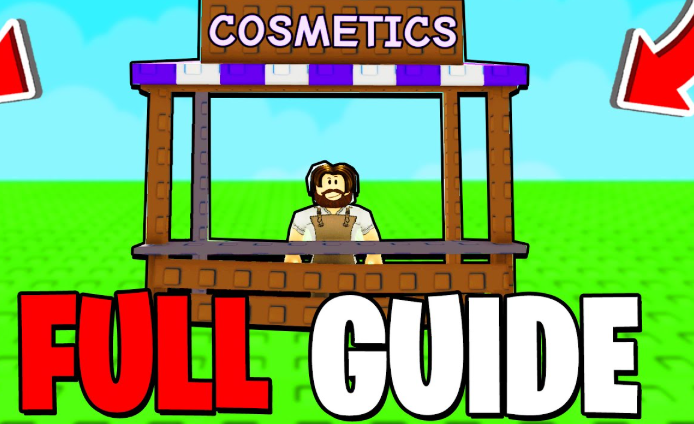
Grow A Garden has steadily evolved into a richer and more engaging farming experience, and one of the most impactful updates came with the introduction of the cosmetics system in May 2025. While cosmetics do not affect crop yields or pet performance, they significantly enhance personalization, creativity, and long-term enjoyment—especially for experienced players who have already mastered the core mechanics.
In this guide, we’ll break down how the Grow A Garden cosmetics system works, how to obtain cosmetic items efficiently, and how to use them to design a visually impressive garden.
What Are Cosmetics in Grow A Garden?
Cosmetics are decorative items designed purely for visual customization. They allow players to shape the atmosphere of their gardens using furniture, structures, paths, lighting, and themed decorations. Because Grow A Garden has a relatively relaxed gameplay loop, cosmetics add an important layer of self-expression and replay value.
Many veteran players pair cosmetics with pets from the same event or theme, creating gardens that feel cohesive and immersive. This is especially noticeable during limited-time seasonal events.
How to Obtain Cosmetics in Grow A Garden
There are currently three primary ways to unlock cosmetics:
1. Sam’s Cosmetic Shop
After the Farm Cosmetics Update, players gained access to a new shop managed by NPC Sam, located between the Gear and Pet Eggs stalls. Sam offers nine rotating cosmetic items every four hours, purchasable with Sheckles.
Some rotations include special cosmetic crates costing 55 million Sheckles, which contain high-tier decorative items with visible drop-rate probabilities. Cosmetics range from Common to Prismatic rarity, encouraging long-term collection.
2. Limited-Time Events
Seasonal events often introduce exclusive cosmetic sets that cannot be obtained once the event ends. These rewards are typically unlocked by completing event tasks or trading event-specific currency.
Holiday events such as Christmas Harvest are especially popular, offering themed decorations like snow forts, winter lanterns, festive furniture, and animated props.
3. Season Pass Rewards
Each monthly season pass includes free and premium tracks, with cosmetics scattered across progression levels and exclusive pass shops. Completing daily tasks is usually enough to earn these rewards consistently.
How to Place and Manage Cosmetics
Once obtained, cosmetics appear in your backpack under their respective categories. Placing them is simple: select an item and it spawns in front of your character. Advanced placement tools allow rotation, tilting, repositioning, and storage.
However, inventory management is crucial. Each character can hold up to 250 cosmetic items, while only 60 can be placed in the garden at once. Low-rarity items should be discarded regularly to make room for higher-tier designs.
Optimizing Progress With Token Support
As cosmetic crates and seasonal content often require large amounts of currency, many players choose to speed up progression through EZNPC Grow a Garden services. Platforms like EZNPC provide fast and secure options to Buy Grow a Garden Tokens, helping players unlock cosmetic content without long grinding sessions. EZNPC is widely recognized for its reliable delivery and player-friendly support.
Cosmetics transform Grow A Garden from a simple farming simulator into a creative sandbox. Whether you enjoy building themed gardens, hosting friends, or collecting rare decorations, mastering the cosmetics system adds depth and longevity to the game. As future updates expand cosmetic options even further, investing time—and smart resources—into customization is more rewarding than ever.

 English
 Arabic
 Spanish
 Portuguese
 Deutsch
 Turkish
 Dutch
Dutch
 Italiano
 Russian
 Romaian
 Portuguese (Brazil)
 Greek
Greek